To edit your free Tawk.to Personal Profile Page, follow these steps:
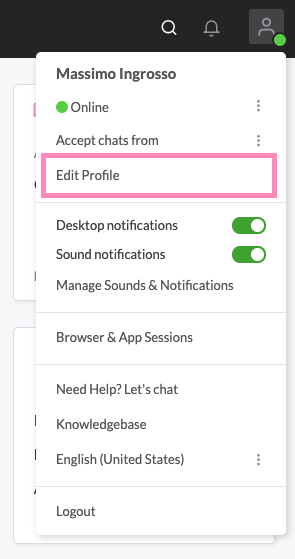
Navigate to the profile icon at the top right of the dashboard and select Edit Profile from the dropdown menu.
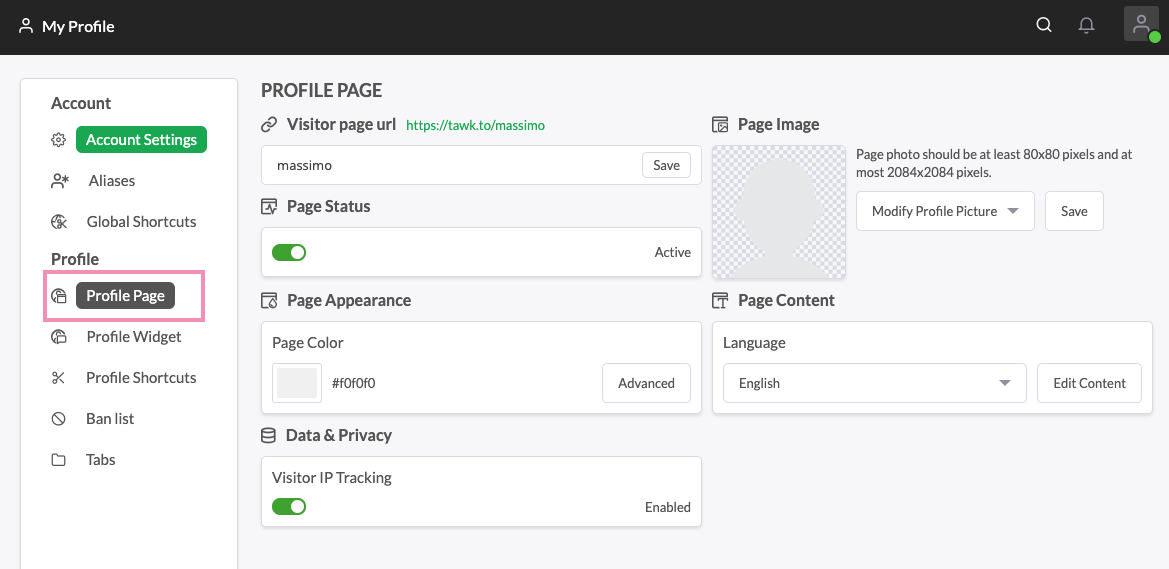
2. Select Profile Page.
Here you can edit the features for your Profile Page Contents. You can edit the URL to your Profile Page by clicking the Pencil Icon to the right of the URL.
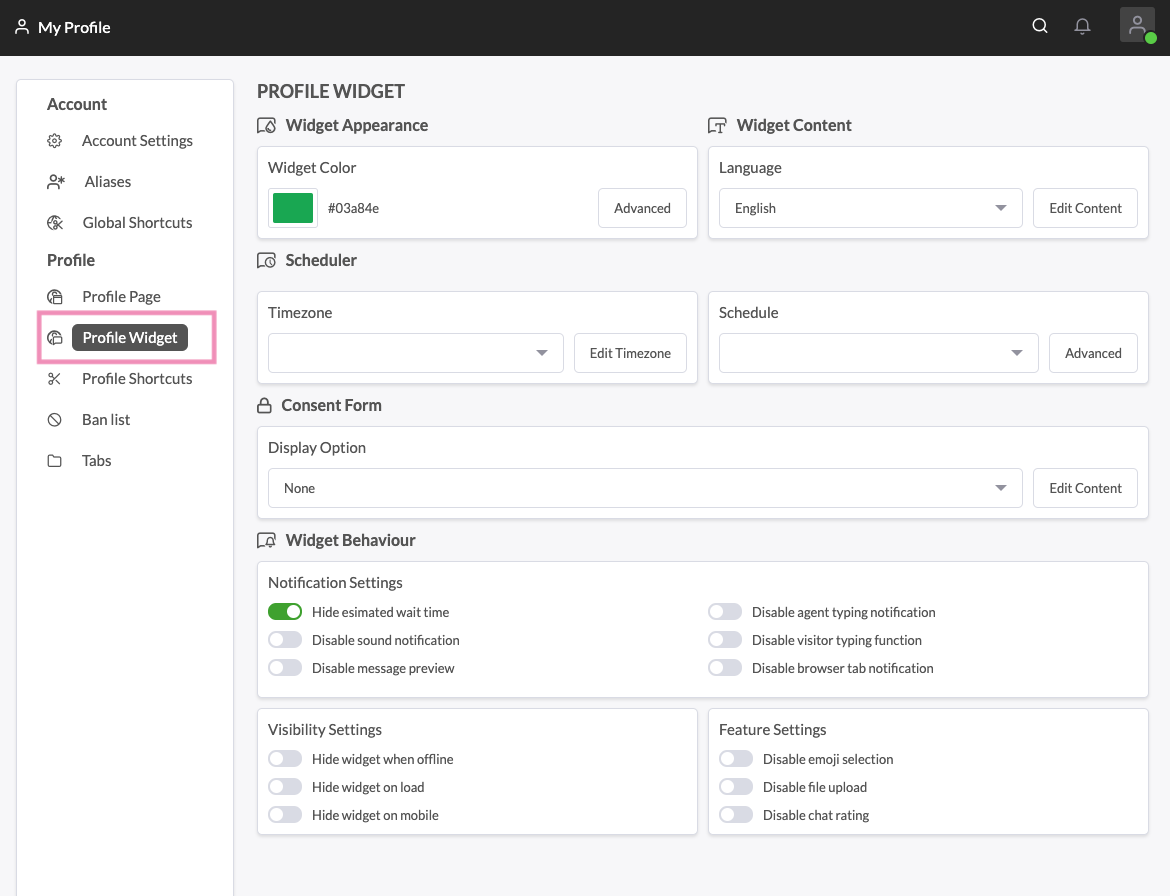
3. Select Profile Widget.
Here you can edit the Widget Settings, Widget Appearance, Widget Content and schedule when you want the widget to appear.
PLEASE NOTE: Editing these settings does not change the settings for the widget on your website.