We launched a knowledgebase and the Widget Scheduler this morning > https://www.www.tawk.to/knowledgebase
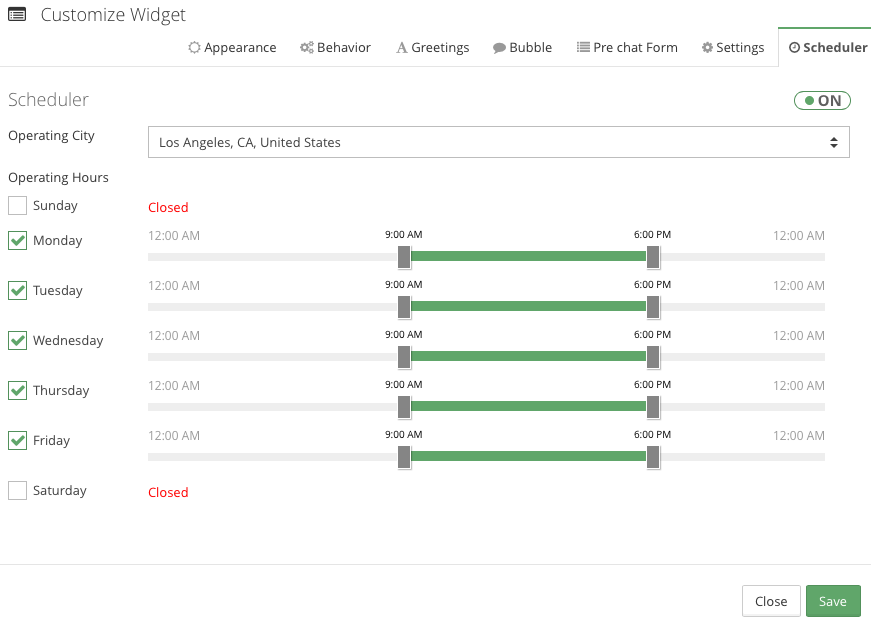
Site administrators can now schedule when a widget will show online or offline on their website.
When agents log in during the operating hours you set, they will see visitors in the dashboard, and incoming chats will send a notification.
It’s really easy go get started :
- Login to the https://dashboard.www.tawk.to
- Click Sites & Pages
- Click Manage Sites
- Click Manage in the Widget Column
- Click Modify in the Settings Column
- Click the Scheduler tab
- Switch the Scheduler ON
- Modify your operating hours, and click Save.